Adding Models
ZeroSphere supports two ways to connect AI models: Native Providers and Custom Profiles.
Native providers are the simplest — paste your API key in Settings and ZeroSphere automatically surfaces the latest available models. No endpoints, no model IDs to copy.
Custom profiles are for everything else — OpenRouter, self-hosted models, or any OpenAI-compatible endpoint.
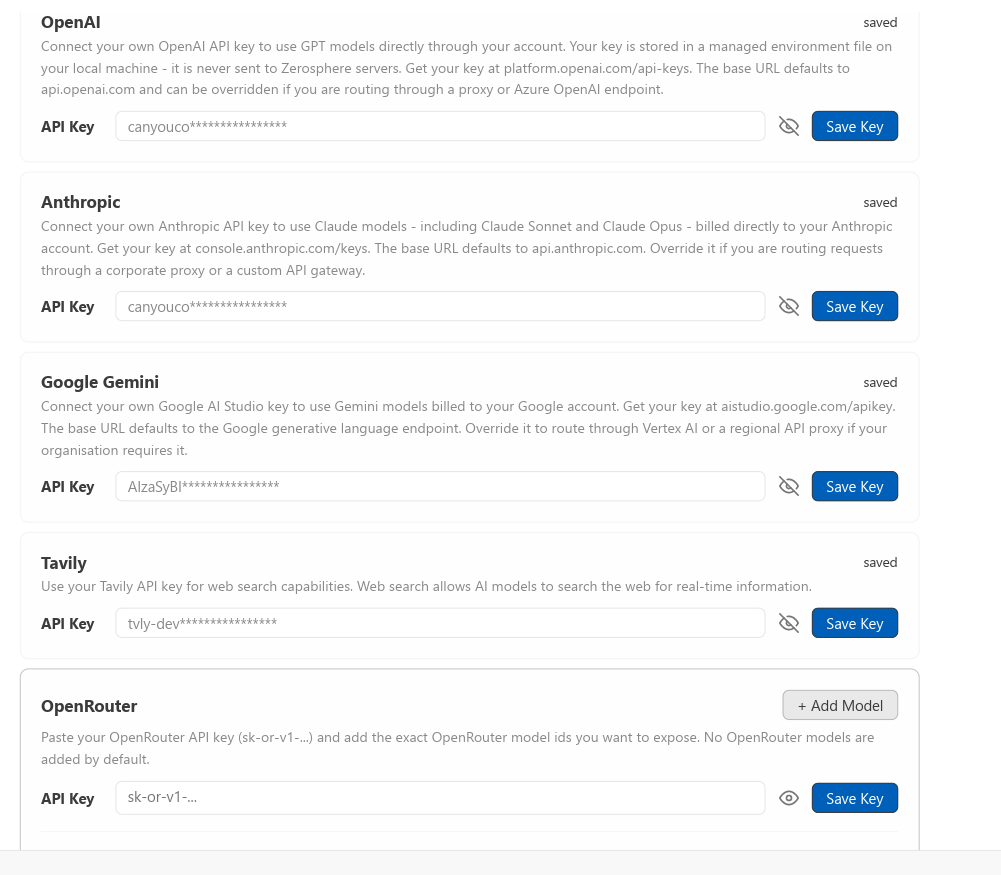
Native Providers
Native providers are first-class integrations. ZeroSphere manages the endpoint and keeps the model list current. You only need to supply an API key.
Go to Settings > AI > API Keys, paste your key for the provider, and save. Your models will appear immediately in the model selector.
Anthropic
The agent is optimized for Claude. It is the recommended primary model.
| Key setting | ANTHROPIC_API_KEY |
| Models included | All current Claude models (Sonnet, Opus, Haiku) |
| Get key | console.anthropic.com |
OpenAI
| Key setting | OPENAI_API_KEY |
| Models included | All current GPT and o-series models |
| Get key | platform.openai.com/api-keys |
Google Gemini
| Key setting | GEMINI_API_KEY |
| Models included | All current Gemini models (Pro, Flash) |
| Get key | aistudio.google.com/app/apikey |
Tavily (Web Search)
Tavily powers the agent's web search tool. Without this key the agent cannot search the internet.
| Key setting | TAVILY_API_KEY |
| Get key | app.tavily.com |
OpenRouter (Expermiental)
OpenRouter gives you access to hundreds of models — including every major provider — through a single API key. Useful if you want to experiment with many models without managing separate provider accounts.
Go to Settings > AI > Custom Models > + Add Profile and fill in:
| Field | Value |
|---|---|
| Label | Any name you want |
| Endpoint | https://openrouter.ai/api/v1 |
| Model | Any model slug from openrouter.ai/models |
| API Key | Your OpenRouter key |
Get your key at openrouter.ai/keys.
Troubleshooting
Models not appearing after adding a native key: Save the key and reopen Settings. If still missing, restart ZeroSphere.
Profile not showing in model selector: Verify the profile is enabled (checkbox on the card).
Connection failed: Check the endpoint URL is exact and the API key has no extra whitespace.
Environment File
API keys and other environment variables are stored in a .env file that ZeroSphere reads on startup and hot-reloads when changed.
Default location (Windows):
%APPDATA%\Roaming\zerosphere-nightly\.env
You can set or add variables directly in this file and restart ZeroSphere for changes to take effect.
Overriding the path:
If you want ZeroSphere to load a different .env file — for example when running multiple environments side-by-side — set the ZEROSPHERE_ENV_FILE environment variable before launching:
ZEROSPHERE_ENV_FILE=C:\path\to\your\.env
When ZEROSPHERE_ENV_FILE is set and points to a valid file, ZeroSphere uses that file instead of the default location.