Custom Rules
Rules tell the agent how to behave in your project, defining coding standards, architecture constraints, and patterns to follow or avoid. The agent reads them before every task.
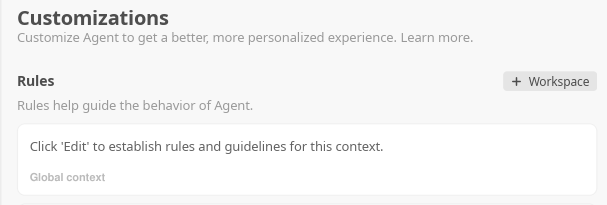
Rule Files
ZeroSphere loads rules from three locations:
Global rules (all projects)
%USERPROFILE%\.zerosphere\rules/global.zsrules
Personal standards that apply across every project, including code quality expectations, security rules, and formatting preferences.
Workspace rules (this project)
%USERPROFILE%\.zerosphere\rules/{workspace-id}.zsrules
%USERPROFILE%\.zerosphere\rules/{workspace-id}-{mode}.zsrules
The workspace ID is auto-generated from your project path. Run ls %USERPROFILE%\.zerosphere\rules/ after the agent has been used in your project to see the exact filename.
Mode-specific variants (e.g. {workspace-id}-planning.zsrules) are loaded only when the agent is in that mode.
AGENTS.md (in your project root)
your-project/AGENTS.md
Project-specific instructions committed to version control. Use this to share context with your team. The agent also accepts AGENT.md as an alternative filename.
File Format
Plain markdown or plain text. No special syntax required.
## Architecture

- This is a Rust workspace with multiple crates.
- All public APIs must have doc comments.
- Use `anyhow::Result` for error handling throughout.

## Testing

- Write unit tests for all new functions.
- Run `cargo test` before marking a task complete.
Keep rules concise. Very long rule files risk being partially ignored due to context limits.
Enabling / Disabling
AGENTS.md loading can be toggled in Settings > AI > Use Agent Rules.
Global .zsrules files are always loaded.
Troubleshooting
Rules not being applied:
- Check that Settings > AI > Use Agent Rules is ON (for AGENTS.md)
- Verify the file is in the correct location:
ls %USERPROFILE%\.zerosphere\rules/ - Keep the file concise. Overly long rule files get partially ignored.
Finding your workspace ID:
ls %USERPROFILE%\.zerosphere\rules/
The ID is visible in the filenames after the agent has been run in that project at least once.