Permissions
You control what the agent can do and when it needs to ask. All permission settings are in Settings > AI.
Permission Modes
Three modes apply to most operations:
| Mode | Behavior |
|---|---|
ask_each_time | Agent pauses and waits for your approval before acting |
run_always | Agent acts immediately with no dialog |
let_model_decide | Agent evaluates risk and asks only when it judges necessary |
Virtual session creation uses its own two-mode set:
| Mode | Behavior |
|---|---|
ask_each_time | Agent pauses before creating a display session |
always_launch / always_take_control | Agent creates sessions without prompting |
Permission Categories
Terminal Commands (run_command_mode)
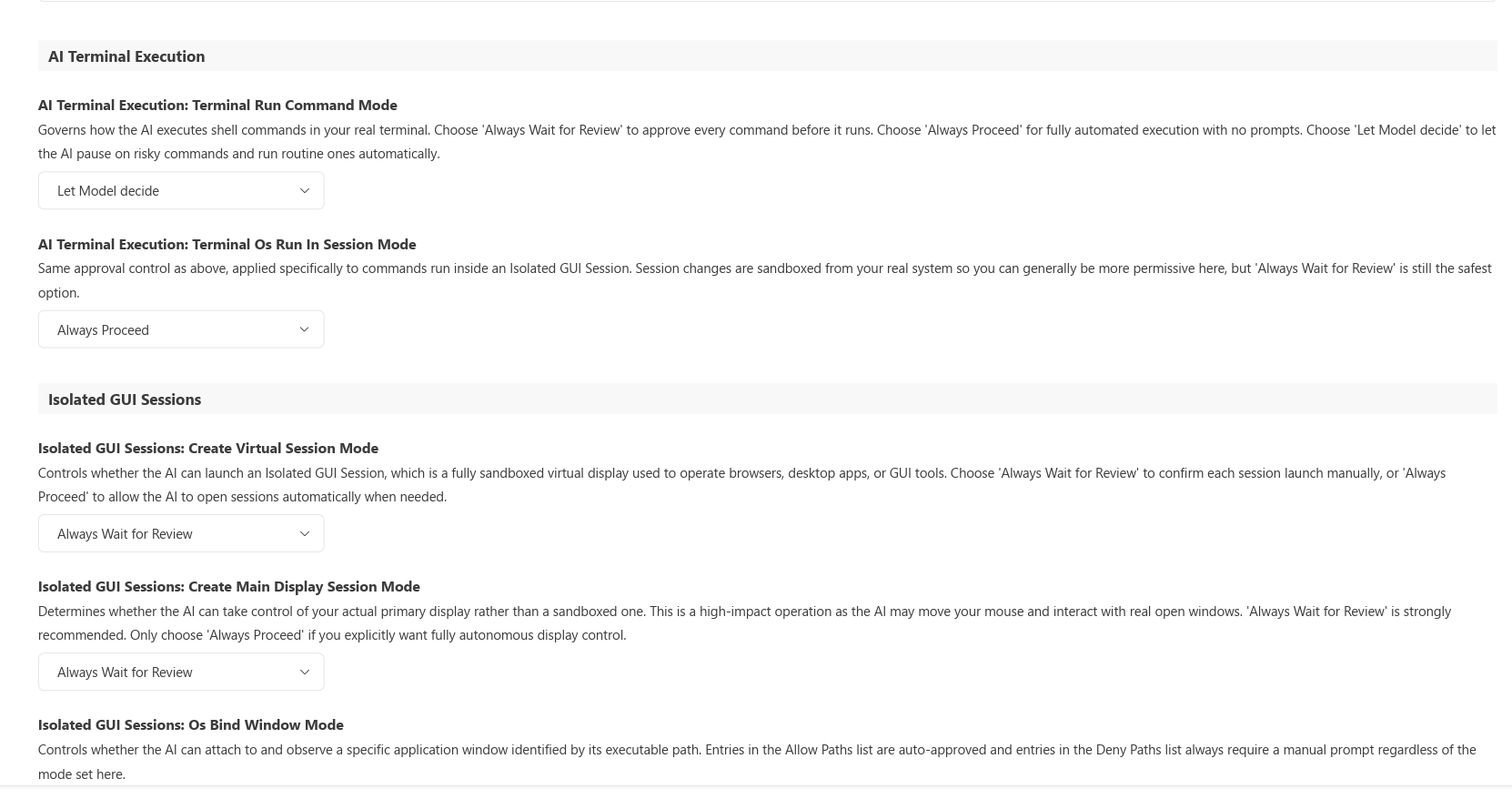
Controls whether the agent must ask before running shell commands. Default: let_model_decide.
Commands in a Session (os_run_in_session_mode)
Controls whether the agent must ask before running commands inside a virtual display session. This is a separate gate because session commands interact with a running GUI. Default: ask_each_time.
Virtual Session Creation (os_create_virtual_session_mode)
Controls whether the agent must ask before creating an isolated virtual display (VDD) session. Default: ask_each_time.
Main Display Session (os_create_main_display_session_mode)
Controls whether the agent must ask before taking control of your real primary display. When granted, all windows minimize and a floating STOP button appears. Default: ask_each_time.
Bind Window (os_bind_window_mode)
Controls whether the agent must ask before moving a GUI window to a different display or virtual session. Supports per-executable allow and deny path lists that override the mode setting. Default: ask_each_time.
File Access
Toggle whether the agent can access files outside your project directory, or files matching .agentignore patterns. Both are disabled by default.
Command Lists
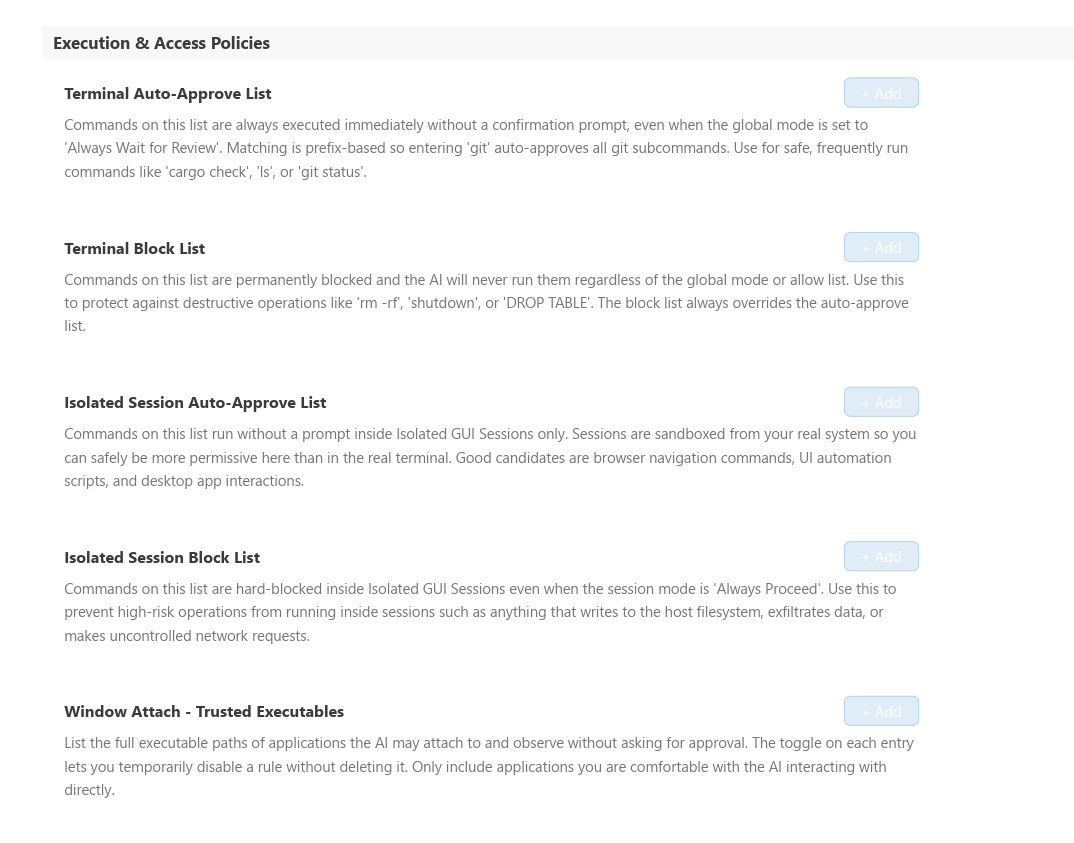
Maintain an allow list and deny list for shell commands under Settings > AI > Commands.
- Allow List: Commands here always run automatically, even if your global terminal mode is set to
ask_each_time. - Deny List: Commands here never run. Absolute. Blocked even if the model aggressively attempts them.
There are separate allow/deny lists for regular commands and for session commands (os_always_run_commands, os_deny_commands).
For osBindWindow, there are per-executable allow paths and deny paths (full .exe path strings). Allow paths skip the approval dialog; deny paths always trigger it regardless of mode.
How Approval Works
When the agent hits an operation that requires approval, it pauses and shows you:
- What it wants to do
- The exact command, file path, or window being targeted
- Options: Approve, Deny
Approving runs it once. To stop seeing prompts for a routine operation, add it to the relevant allow list via Settings > AI > Commands, or change the mode for that category.
Workspace Boundaries
By default, the agent cannot access files outside your project directory. Leave this disabled unless you have a specific reason to enable it.
config.toml Reference
The full permission configuration in config.toml:
[permissions]
outside_workspace_access_enabled = false
ignored_workspace_file_access_enabled = false

[permissions.terminal]
run_command_mode = "let_model_decide"
os_run_in_session_mode = "ask_each_time"

[permissions.os_tools]
os_create_virtual_session_mode = "ask_each_time"
os_create_main_display_session_mode = "ask_each_time"
os_bind_window_mode = "ask_each_time"
os_bind_window_allow_paths = []
os_bind_window_deny_paths = []

[permissions.commands]
always_run_commands = []
deny_commands = []
os_always_run_commands = []
os_deny_commands = []
See Configuration for file locations.
Recommended Setup
For daily development where you want the agent to move fast but stay controlled:
| Setting | Recommended Value |
|---|---|
run_command_mode | let_model_decide |
os_run_in_session_mode | ask_each_time |
os_create_virtual_session_mode | ask_each_time |
os_create_main_display_session_mode | ask_each_time |
os_bind_window_mode | let_model_decide |
This lets the agent handle routine shell commands on its own, but ensures anything involving a live session or your real display requires explicit approval.